
How to Restrict Email Activity
-
Go to Integrations
-
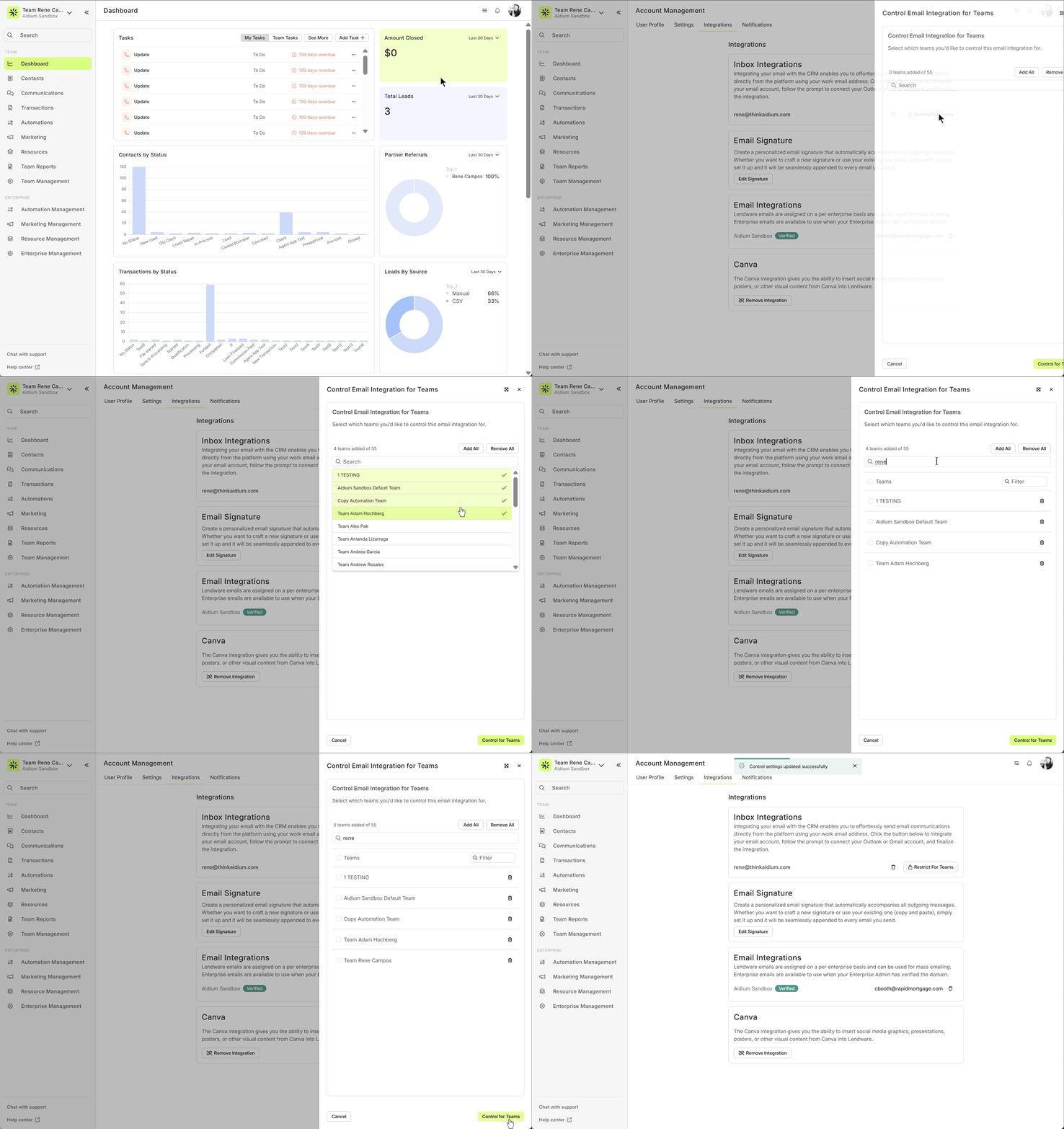
Navigate to Account Management → Integrations.
-
Make sure your email is connected to Lendware .
-
-
Open Team Restrictions
-
Click Restrict for Teams.
-
A drawer will open showing all teams you belong to.
-
-
Select Teams
-
Choose the teams where you want your email activity to appear.
-
Leave unselected teams unchecked—these teams will not display your emails.
-
-
Save Your Settings
-
Click Save.
-
A confirmation toast will appear indicating your changes were applied successfully.
-
Pro Tip: If you remove all teams, no email activity will be displayed on any team, which can be useful for admins or for privacy purposes.
How It Works
-
Selected Teams: Emails you send and receive will appear here.
-
Unselected Teams: Emails will not appear.
-
Replies from Contacts: May still appear on selected teams if the contact exists there.
-
No Teams Selected: Your email activity will not appear anywhere.
Example: Same Contact in Two Teams
-
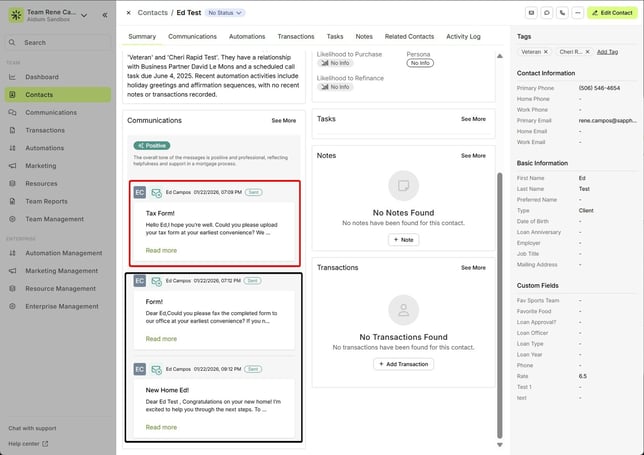
Team Rene ✅ (selected in Restrict)
-
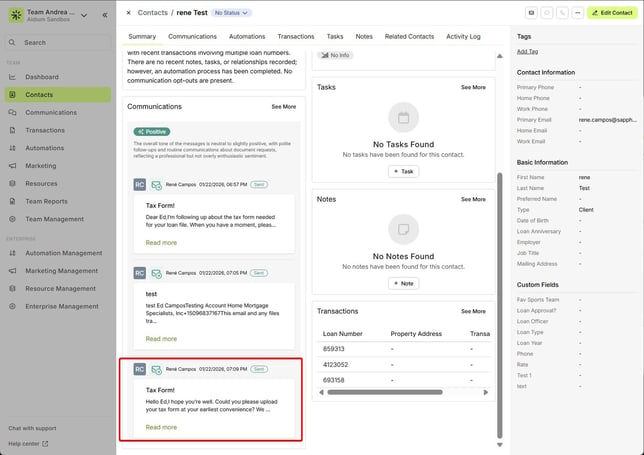
Team Andrea ❌ (not selected in Restrict)
What You’ll See
Before Restricting
-
Emails sent outside Lendware show up on both Team Rene and Team Andrea.
-
Replies from the contact also appear on both teams.
After Restricting (only Team Rene selected)
-
Emails and replies appear only on Team Rene.
-
Team Andrea no longer logs those emails.
Benefits of Restricting Inbox Integrations
-
Stay Focused: Only relevant teams see your email activity.
-
Maintain Privacy: You control who can view your email interactions.
-
Streamline Workflows: Reduce clutter across multiple teams and keep your CRM organized.
-
Admin Control: Admins can ensure sensitive email activity only appears where it should.
Remember: Restricting Inbox Integrations does not stop emails from being sent—it only controls which teams display email activity in Lendware.
Need more help? Check out: Preventing Unintended Emails in Lendware