
Important: To export your full contact list, always use Select All Across Pages.
Preparing your contact list for export
Before exporting, it’s recommended to review and adjust what you want included in the file.
- Navigate to Contacts
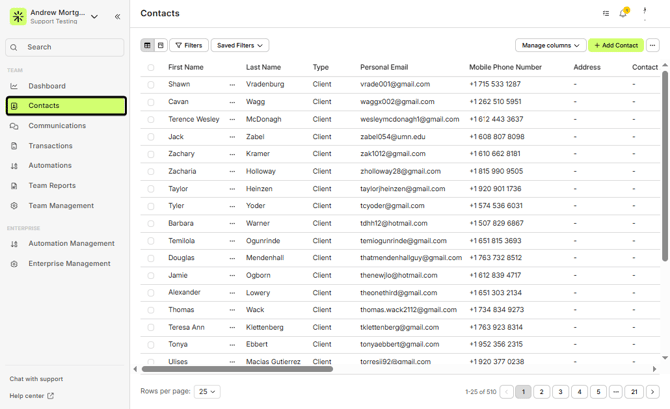
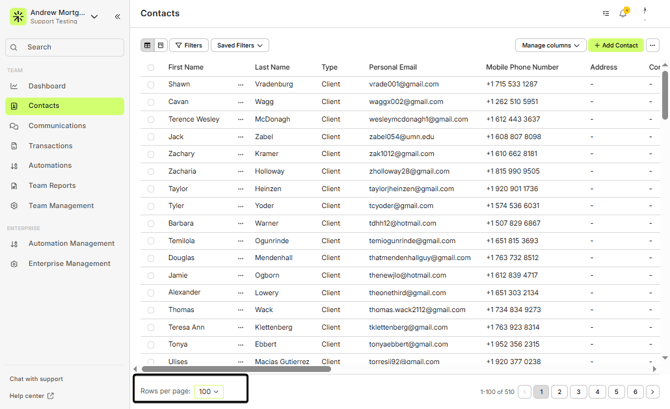
- Adjust records per page
Open the Records per page dropdown in the bottom-left corner and select 100 per page. This displays the maximum number of contacts on screen.
- Apply filters (optional)
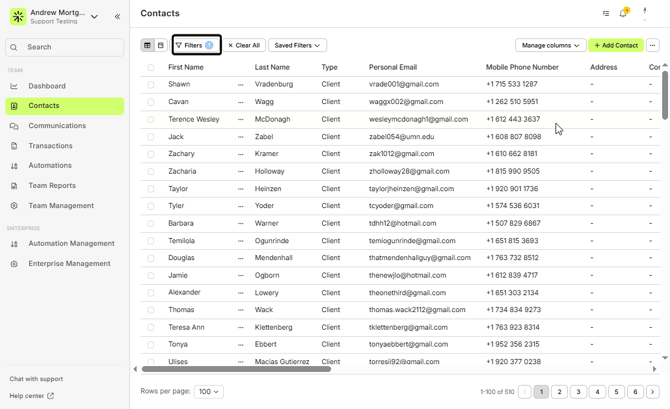
ℹ️ Filters are optional, but helpful when exporting a specific subset of contacts.
- Choose export fields
Click Manage columns to select the fields you want included in the CSV. You can also reorder columns by dragging them—for example, moving Mobile Phone Number higher in the list.
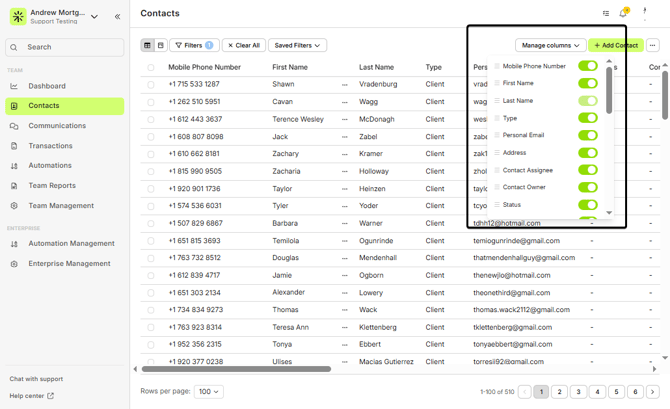
Only columns visible in Manage columns will be included in the export.
Selecting all contacts and exporting
Once your contacts, filters, and columns are set:
- Select the checkbox at the top of the contact list
- On the right side of the screen, click Select All Across Pages
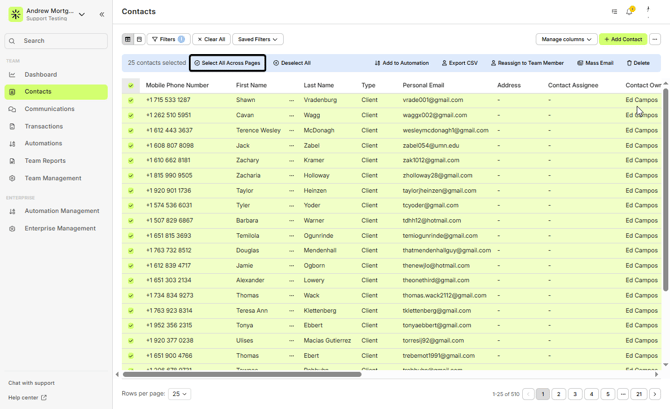
⚠️ Even if the banner shows a smaller number selected, Select All Across Pages ensures every contact is included.
Click Export CSV to start the export
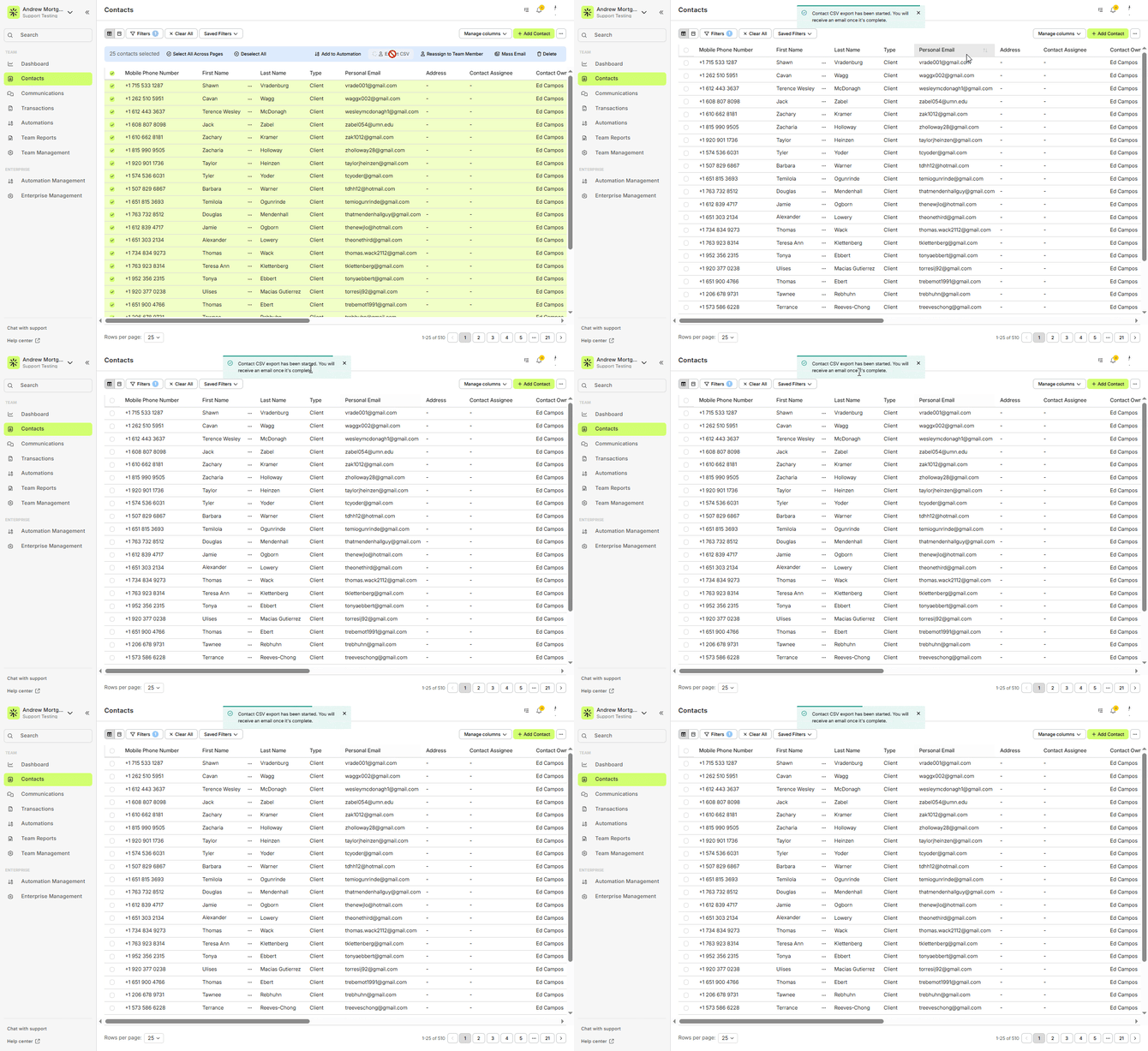
If you do not see the Export CSV option, please contact support@lendware.ai for assistance.
Downloading your file
- The export runs in the background
- Within approximately one minute, you will receive an email with a download link
- The email is sent to the address associated with your Lendware login
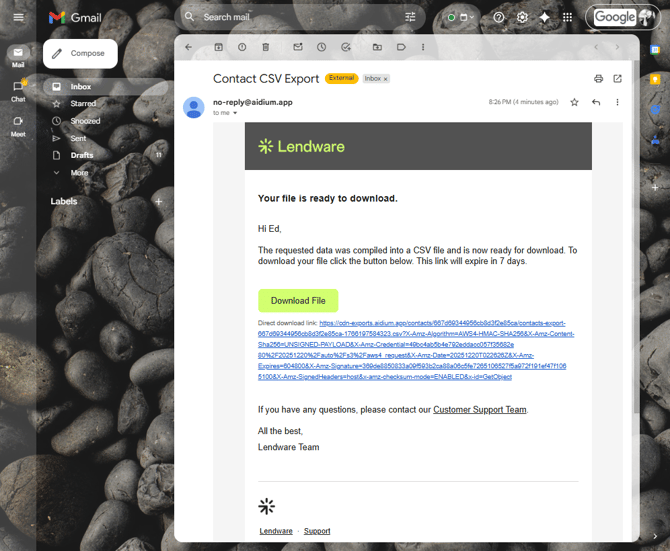
Your contacts have been successfully exported