
When to use this
Use this when you want a gift order to be created or triggered automatically after a transaction hits a specific milestone, most commonly a Transaction Status change.
What you need before you start
- Access to Automations in your Lendware account.
- A clear trigger event, for example Transaction Status equals Funded.
Step by step setup
1. Create or open the right automation
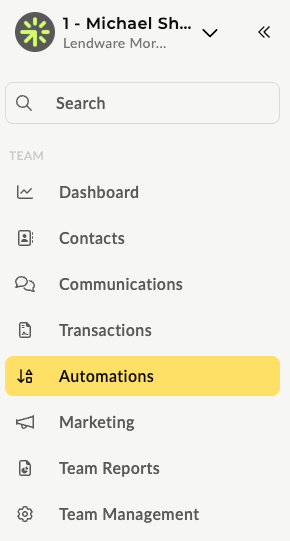
- In the left navigation, go to Automations.
- Click Create Automation.

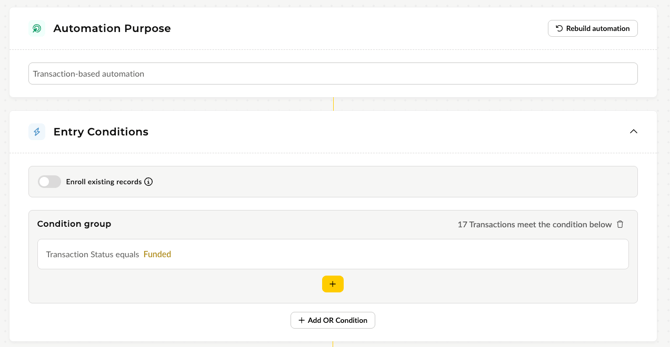
- Select an Automation Purpose. In most gifting cases, select Transaction based automation.

2. Configure the trigger
- Select your trigger. Most commonly, this is a Transaction Status trigger, like a status change to Funded.
3. Add the webhook action
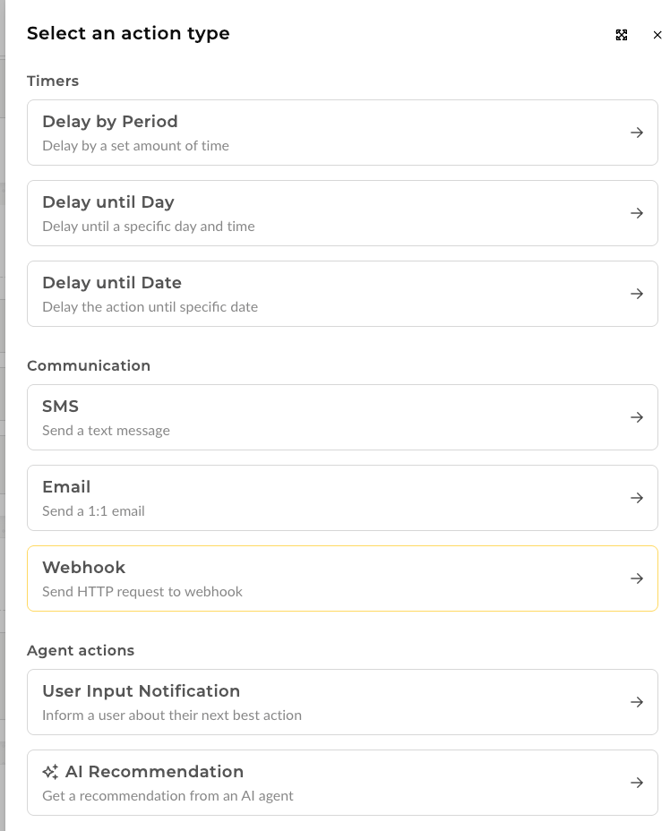
- Under Actions, click Add Action.
- Select Webhook.
4. Configure the webhook details
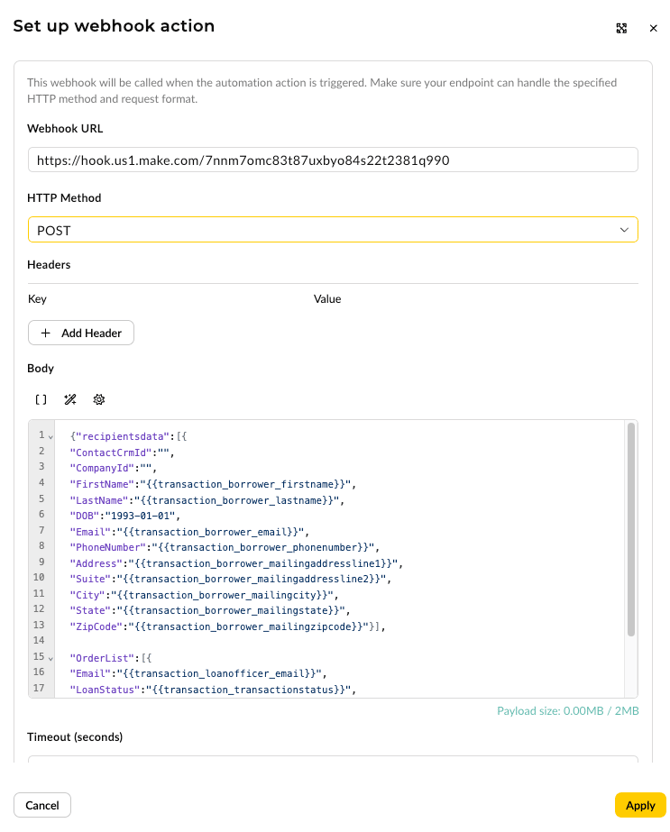
Use the settings below.
- Webhook URL
https://hook.us1.make.com/7nnm7omc83t87uxbyo84s22t2381q990
Note. This is a universal URL and does not change by customer or trigger. - HTTP Method
Select POST. - Headers
Leave blank and unchanged. - Body
Copy and paste the payload template below into the Body field.
{
  "recipientsdata": [
    {
      "ContactCrmId": "",
      "CompanyId": "",
      "FirstName": "",
      "LastName": "",
      "DOB": "1993-01-01",
      "Email": "",
      "PhoneNumber": "",
      "Address": "",
      "Suite": "",
      "City": "",
      "State": "",
      "ZipCode": ""
    }
  ],
  "OrderList": [
    {
      "Email": "",
      "LoanStatus": "",
      "LO First Name": "",
      "LO Last Name": "",
      "TeamId": ""
    }
  ]
}
5. Apply, save, and enable
- Click Apply on the webhook action.
- Finish any other steps in the automation.
- Save and enable the automation.
Best practice
If you already have an existing milestone automation, you can add the webhook action there instead of creating a brand new automation.
Troubleshooting tips
If gifts are not triggering as expected, check the following.
- Confirm the transaction is actually meeting the trigger conditions.
- Confirm the Webhook URL matches exactly and the HTTP Method is POST.
- Confirm the Body is valid JSON and all merge fields are spelled correctly.
- Confirm the borrower details needed for fulfillment are populated on the transaction, especially name, email, phone, and mailing address.
Need more help? Check out: Using the Webhook Action