
Explore the Library of Lendware Agents
You can choose from a library of expert-made agents or build your own. Unlike standard automations, agents require user input to proceed with tasks, ensuring you maintain control while leveraging AI-driven insights.
Examples of Agents:
- Funded Review Request: After a client closes, asks if you'd like to send a request for review automation.
- Abandoned Application: Sends follow-up communications for abandoned applications.
- Failed Credit Check: Sets a reminder to call a contact if they fail a credit check.
- Loan Anniversary Referral: On a contact’s loan anniversary, prompts you to send a message and request referrals.
- Idle Client: Reaches out if no progress is detected for a set number of days.
- Veteran Client: Prompts outreach to clients eligible for VA loan programs.
- Failed Loan Application: Suggests contacting clients whose applications failed.
- Home Equity Alert: Alerts you when a client’s equity exceeds a threshold.
- Change of Address: Notifies you to follow up if a change of address is detected.
- Lendware Intelligence Score: Prompts contact with a high propensity-to-transact.
- Refinance Opportunity: Alerts you if interest rates drop below a client’s mortgage rate.
- Cross Sell Listing: Suggests outreach when a contact lists a property.
💡 Lendware Agents are only available within Workflows Automations — either Contact-based or Transaction-based.
How Lendware Agents Work
Agents surface contextual prompts based on your database, giving you recommendations for follow-ups, communications, or marketing actions.
Workflow Example:
-
Agent Monitors Your Database: Continuously scans your transaction pipeline.
-
Trigger Event Occurs: Example: Deal moves to "Loan Funded."
-
Agent Alerts LO, Asks for Input:
"I saw one of your loans is now funded. Would you like me to send a review request email to the primary contact for you?"
-
Agent Does Not Act: Stops the sequence if input is declined.
-
Agent Executes Actions: Performs the approved action or sequence automatically.
Setting Up Agent Actions in Workflows
-
Go to Automations → Workflows.
-
Edit an existing workflow or create a new one.
-
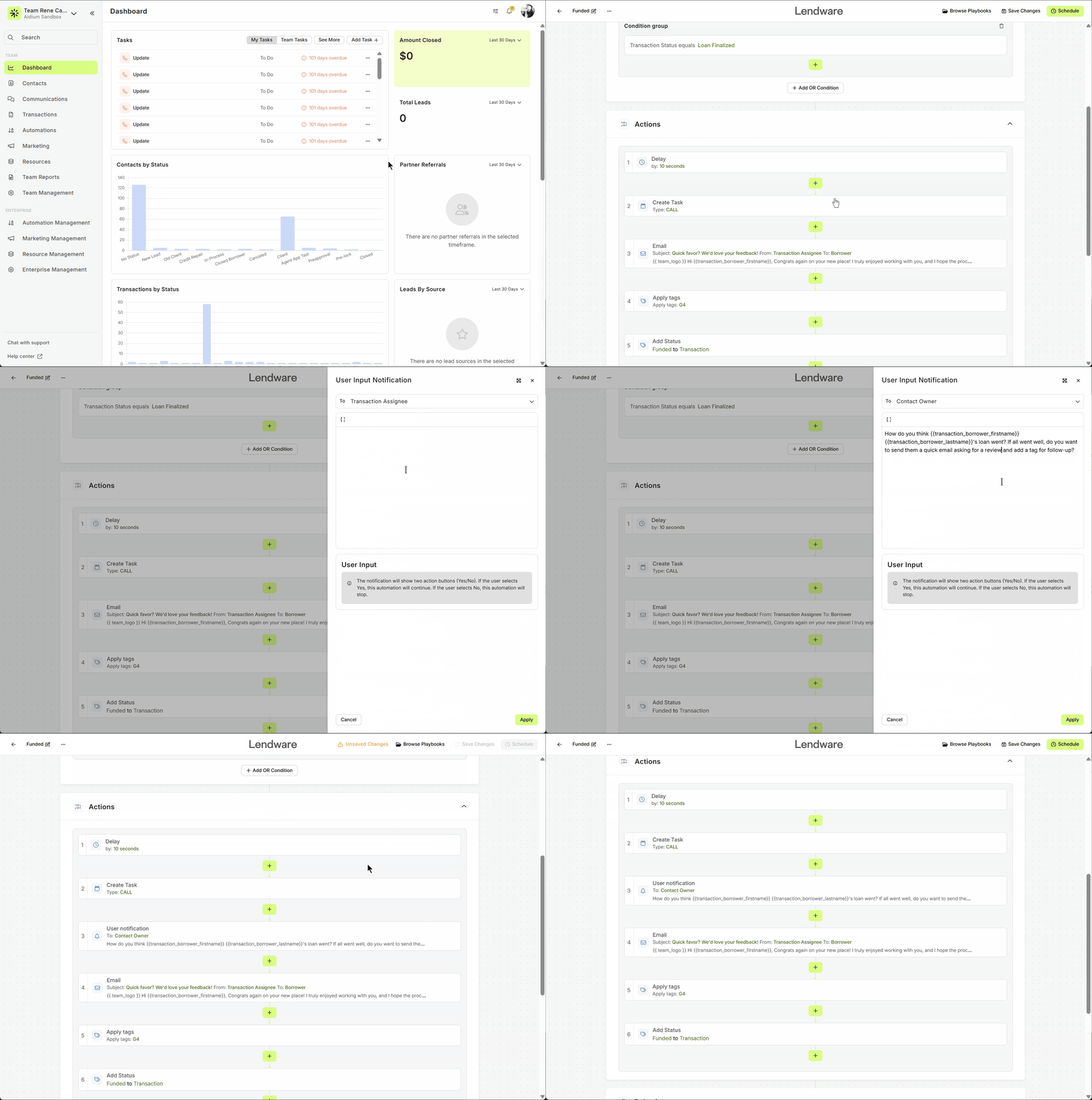
In the Actions step, select Agent Actions.
User Input Notification:
-
Notifies a user of the next best action.
-
Shows two buttons: Yes / No.
-
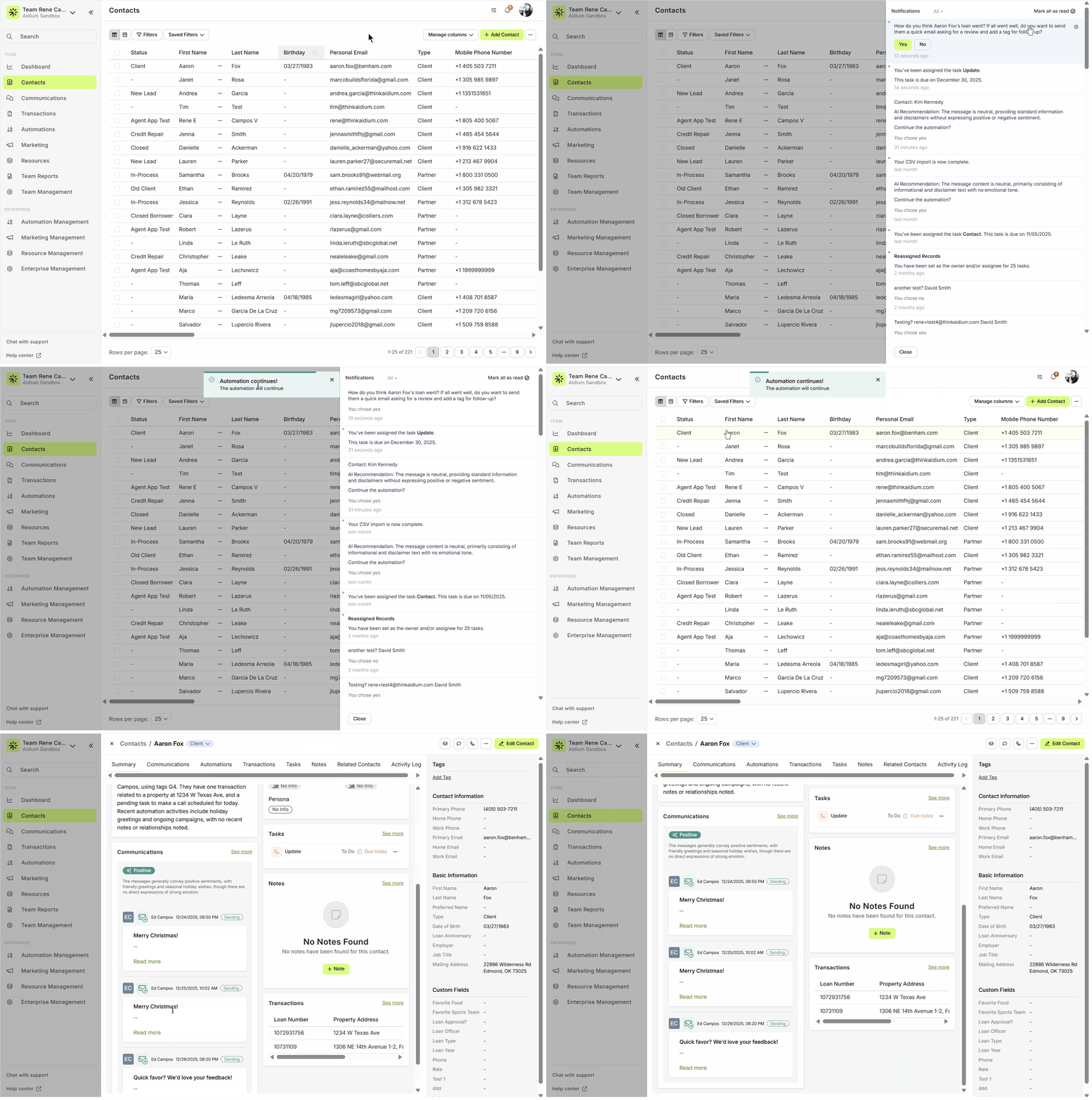
Yes: Automation continues and executes the agent’s action.
-
No: Automation stops at this step.
-
You can customize your message using merge fields. Notify the contact owner, loan officer, or any relevant user. Once applied, the workflow will pause at the Agent notification until the user confirms how to proceed.
Save the Information
- Don’t forget to save your workflow settings.
- Once saved, the Agent is ready to use in your contacts or transactions.
Execution
-
The workflow will pause at the Agent notification until the user confirms how to proceed.
💡 What Lendware Agents Can Do
Lendware Agents empower you to automate key CRM actions while staying in control. They can:
-
Send SMS – Deliver timely messages directly to contacts.
-
Send Email – Automate email communications with personalized content.
-
Apply Tags – Organize contacts or transactions effortlessly.
-
Remove Tags – Keep your CRM data clean and up to date.
-
Add to Automation – Seamlessly include contacts or transactions in existing workflows.
-
Create Task – Automatically generate tasks for follow-ups or reminders.
-
Update Status – Keep your transaction pipeline accurate without manual effort.
Current Live Agents / Automations
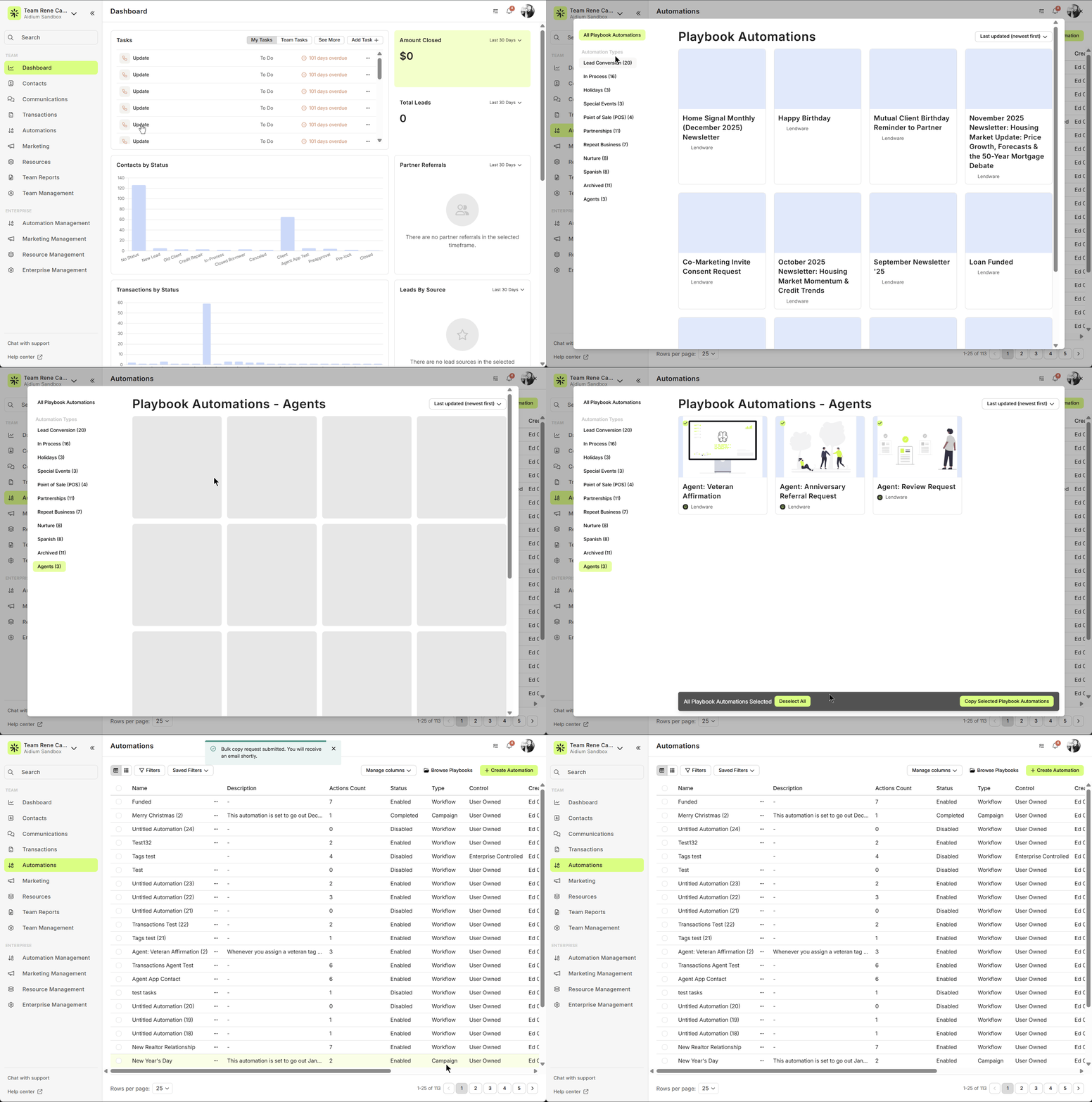
Here’s a snapshot of the first three live Lendware Agents you can explore in your workflows:
-
Review Request
-
Veteran Affirmation
-
Anniversary Referral Request
✨ These agents are just the beginning! Check them out in your automation workflows and see how they can save you time, streamline your processes, and keep you in control.
Need more help? Check out: How-to Video - Advanced Automations